
A teacher has four minutes between classes. The next lesson needs a diagram, a short video, two student annotations, and a worksheet saved for absent learners. An interactive smartboard for schools should make that routine easier, not create another login, cable issue, or support ticket.
That is the standard school leaders should use when evaluating classroom display technology. Screen size and resolution matter, but they are only part of the decision. The stronger investment is a teaching and collaboration system that works across subjects, supports staff with different confidence levels, and remains dependable after installation day.
What an interactive smartboard changes in the classroom
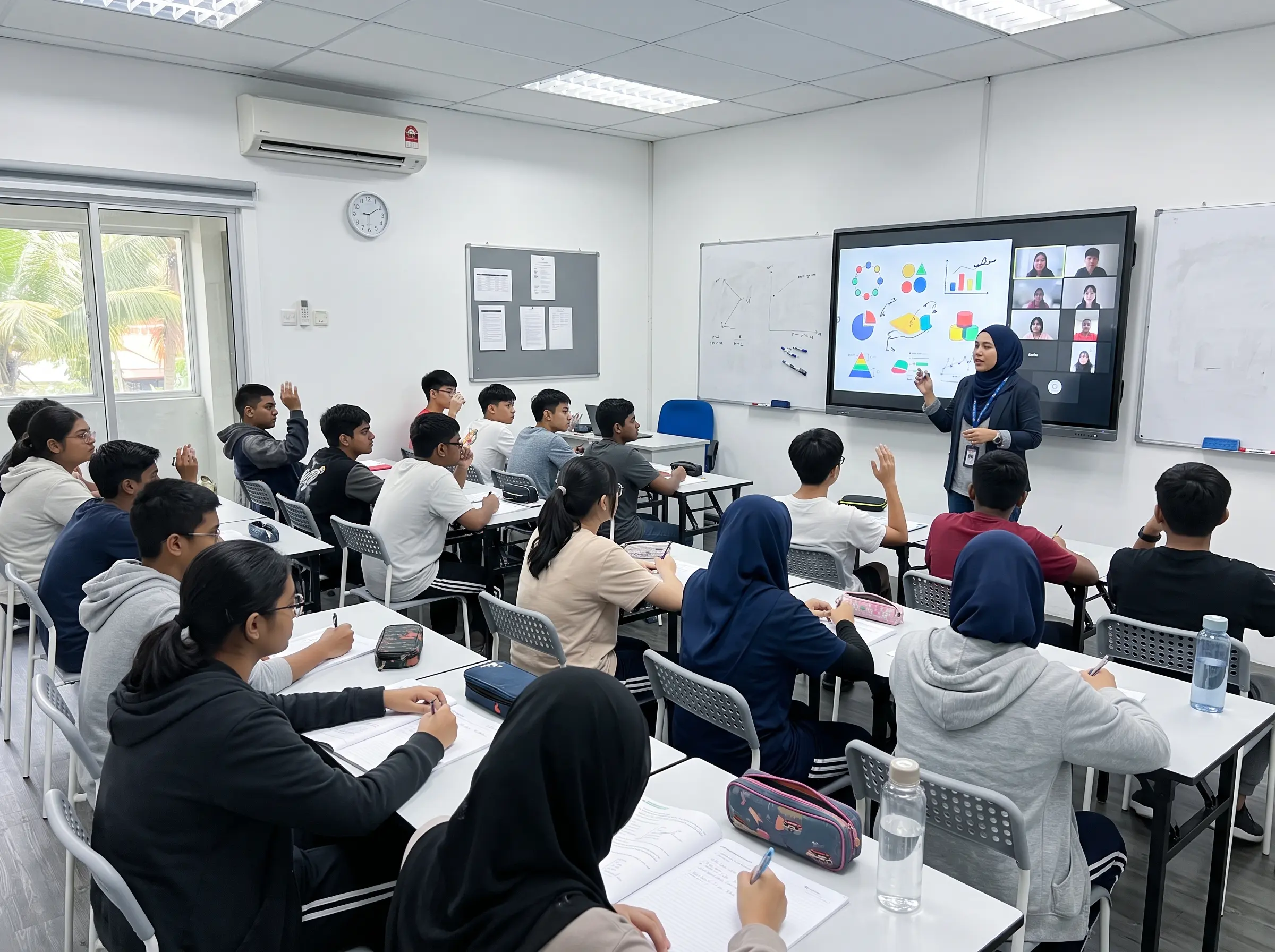
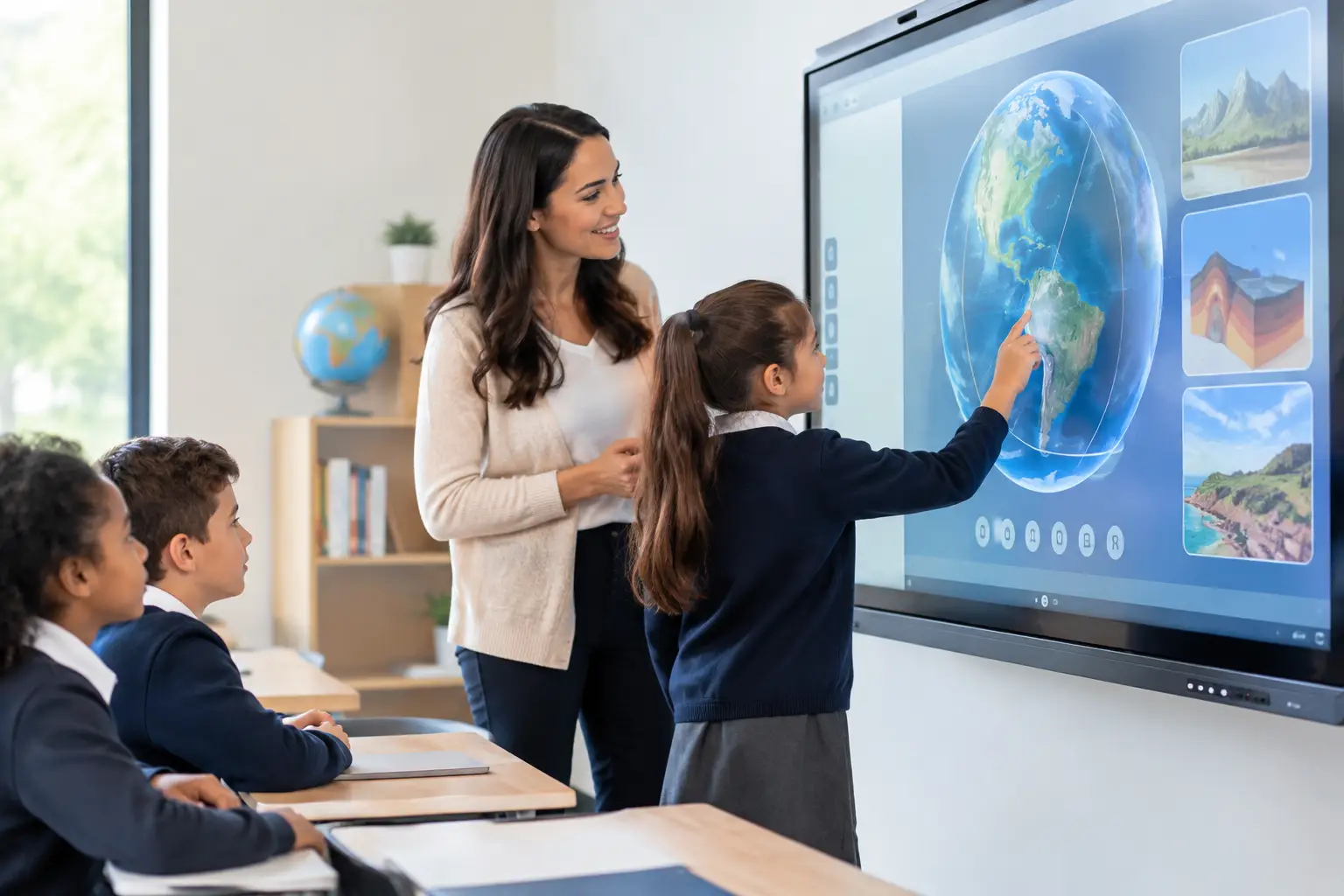
A smartboard replaces the one-way experience of a projector or standard display with a shared digital workspace. Teachers can write directly on content, move objects, annotate documents, open learning materials, and save notes. Students can come to the board to solve problems, compare ideas, label diagrams, or present group work.
The value is not simply that the screen is touch-enabled. It is that lessons become more visible and participatory. In a science class, students can identify components on a high-resolution image. In mathematics, a teacher can work through a solution step by step, then keep the annotations for revision. In language lessons, a class can mark up a text together rather than relying on one student at a time at a whiteboard.
For school operations, the same display can support staff briefings, parent presentations, hybrid meetings, assembly content, and professional development. This wider use helps institutions get more value from each installed unit, especially where budgets must serve both academic and administrative needs.
Start with teaching needs, not the specification sheet
The best interactive smartboard for schools depends on how classrooms actually operate. A primary classroom may prioritize intuitive writing, durable surfaces, and simple access to visual learning resources. A secondary school may need reliable screen sharing from teacher laptops, subject-specific software compatibility, and tools that support group problem-solving. Universities and training centers may place greater weight on video conferencing, wireless collaboration, and integration with room-control systems.
Before selecting a model, school leaders should map the common teaching moments that technology needs to support. Consider how teachers share content, whether students interact at the screen, what devices are already in use, and how lesson materials are stored. This avoids buying a powerful display that is underused because it does not fit existing workflows.
Classroom layout also matters. A board that is too small can reduce visibility for learners at the back of the room. A board mounted too high may be difficult for younger students or wheelchair users to reach. Larger displays can improve visibility, but they require suitable wall space, viewing distance, power planning, and secure mounting. The right size is a room decision, not a purchasing shortcut.
Touch performance affects confidence
Teachers notice touch quality immediately. Writing should feel natural, with low delay and accurate recognition. Multi-touch capability is useful when students work together, but it is only valuable if the display can accurately distinguish between pen input, finger touch, and palm contact.
A responsive writing experience encourages teachers to use the board spontaneously during a lesson. A frustrating one sends them back to printed worksheets and markers. For this reason, hands-on demonstrations are more useful than comparing technical specifications alone.
Connectivity should reduce classroom friction
Most classrooms use a mix of teacher laptops, student devices, document cameras, and external media. A practical smartboard should support common wired connections while making wireless screen sharing straightforward. Teachers should be able to walk into a room, connect quickly, and begin teaching without waiting for IT assistance.
However, wireless sharing needs clear governance. Schools should determine who can cast to a classroom screen, how guest access works, and whether different networks are needed for staff, students, and visitors. Convenience without access control can create disruption or expose sensitive content.
Plan for the full classroom system
A display alone does not create a smart classroom. The outcome depends on the complete environment: installation position, network readiness, audio, cables, device compatibility, teacher training, and post-installation support.
Audio is a common example. Built-in speakers may be sufficient for a small, quiet classroom, but larger rooms, language labs, lecture spaces, or students with hearing needs may require additional audio planning. Similarly, a camera and microphone may be necessary if the room will host remote learners or virtual guest speakers.
Schools should also decide whether the board will run applications directly through an embedded operating system, rely primarily on connected computers, or use both. Embedded tools can offer quick access and fewer devices to manage. A connected computer can provide broader compatibility with existing teaching platforms and specialist applications. There is no universal answer. The better choice depends on the school’s learning platforms, device policy, and IT management capability.
Reliability is part of the learning experience
A smartboard that works only when a specialist is available is not a classroom solution. Reliability includes stable hardware, clear software management, secure mounting, protected cabling, and a defined response process when something goes wrong.
Procurement teams should look beyond the initial product warranty. Ask who installs the unit, whether the provider conducts site checks, how faults are logged, what service-level commitments apply, and whether field engineers can support multiple campuses. These questions are especially important for district-wide rollouts, where inconsistent installation quality can create ongoing support costs.
For Malaysian institutions, local accountability can be a decisive advantage. Arvia combines consultation, installation, and nationwide field-engineer support across all 13 states, backed by more than 15 years of delivery experience and over 4,500 completed projects. Its SIRIM-certified solutions and structured after-sales model give schools a clearer route from classroom planning to operational support.
Teacher adoption determines the return on investment
Even a well-selected smartboard will not improve learning if teachers are expected to discover every feature on their own. Training should focus on real classroom tasks, not a long tour of menus and settings.
A useful rollout begins with the basics: writing and erasing, opening lesson files, sharing a screen, annotating content, and saving work. Once teachers are comfortable, they can explore more advanced practices such as collaborative activities, polling, digital whiteboarding, and hybrid learning workflows.
It also helps to identify a small group of teacher champions. These are not necessarily the most technical staff members. They are educators who can show colleagues how a feature improves a lesson, share practical templates, and normalize everyday use. Peer examples often drive adoption more effectively than a single formal training session.
School leaders should expect adoption to vary. Some teachers will use the board confidently from the first week, while others will begin with basic presentation and annotation. Both are valid starting points. The goal is consistent progress, not forcing every classroom into the same teaching style.
Build a rollout plan before purchase approval
A successful deployment starts with a pilot in representative rooms. Include different class sizes, age groups, subjects, and building conditions. This reveals issues that are easy to miss during a showroom demonstration, such as glare from windows, weak Wi-Fi coverage, unsuitable wall construction, or limited access to power.
The pilot should measure practical outcomes. Are lessons starting faster? Are teachers using annotation tools? Can students at the back read the content clearly? How often is IT support required? Feedback from teachers, students, and facilities teams provides a stronger foundation for a larger rollout than product specifications alone.
For larger projects, standardization is usually beneficial. Using a consistent board model, mounting approach, connection setup, and training process makes support easier across campuses. Yet standardization should not ignore specialist rooms. A science lab, auditorium, library, and small intervention room may need different screen sizes or supporting equipment.
The questions worth asking a smartboard provider
A capable provider should be ready to discuss the classroom, not just the panel. Ask whether they can assess rooms before installation, recommend display sizes based on viewing distance, integrate with existing devices, and provide training for teachers and administrators.
Also ask how they handle maintenance, replacement parts, firmware updates, warranty claims, and site support. If the project includes video conferencing, digital signage, room booking, or interactive kiosks, explore whether these systems can be planned as one connected environment. Coordinated infrastructure is easier to manage than a collection of isolated purchases.
The right smartboard should disappear into the rhythm of teaching. When teachers can walk in, present, annotate, involve students, and move to the next lesson without technical friction, the technology has done its job. Start with a real classroom, test the workflow, and choose a partner that will still be accountable when the school day gets busy.