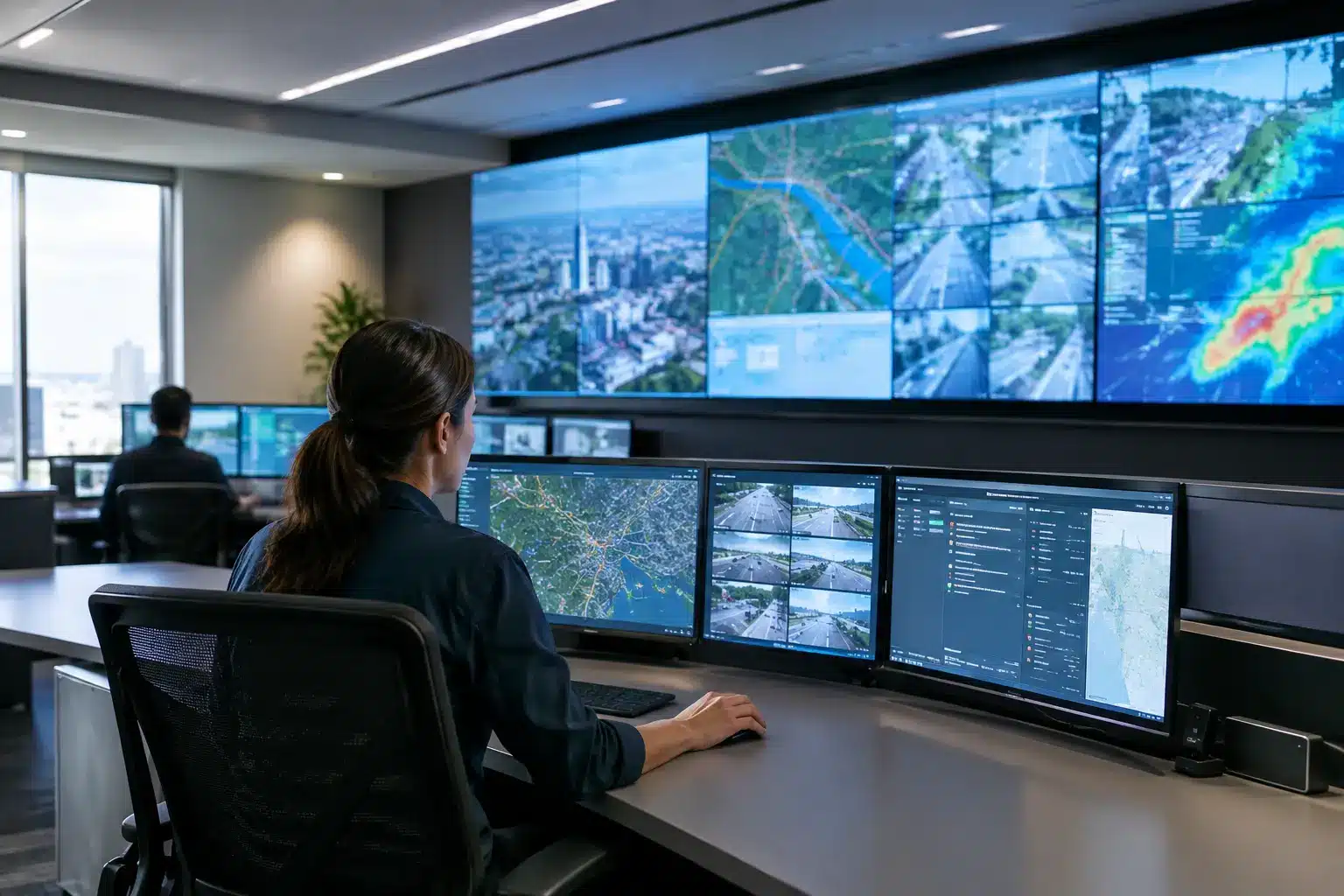

A command room can lose valuable minutes when operators switch between disconnected dashboards, field updates, CCTV feeds, and spreadsheets. Command center display solutions bring these inputs into one shared visual environment, so the people responsible for decisions can see the same situation, discuss priorities, and act with greater confidence.
For Malaysian organizations, the right system is not simply a large LED wall. It is an operational platform that must perform reliably through long shifts, support multiple content sources, fit the room’s workflows, and remain serviceable after deployment. Whether the setting is a security operations center, transport hub, utility control room, municipal agency, campus, manufacturing facility, or corporate incident room, the display strategy should begin with the decisions the room needs to support.
What command center display solutions need to achieve
The central purpose of a command center is shared situational awareness. A wall display gives operators, supervisors, technical teams, and visiting stakeholders a common view of events without requiring everyone to crowd around one workstation. This changes how quickly teams can identify an exception, assign responsibility, and verify that an action has been completed.
The content on screen may include live camera feeds, access-control alerts, weather data, building-management systems, maps, production metrics, logistics updates, public announcements, or network health dashboards. Not every source needs to be visible all the time. The value comes from presenting the right information at the right scale, with layouts that can change as an incident or operating condition develops.
A well-planned solution also reduces dependency on one person’s laptop or one operator’s monitor. Supervisors can brief a team from the same live view, technical staff can bring a diagnostic screen forward when needed, and management can receive clearer updates during critical events. The result is faster coordination, clearer accountability, and less time spent asking where the latest information is located.
Start with the operating scenario, not the screen size
A common procurement mistake is selecting a display wall based only on diagonal size or resolution. Those specifications matter, but they do not define whether the room will work well. The first question should be: what must this team see, interpret, and decide during a normal shift and during an escalation?
A security command center may prioritize camera grids, alarm queues, floor plans, and incident logs. A facilities control room may need energy dashboards, equipment status, maintenance tickets, and emergency announcements. A corporate command room for distributed operations may focus on sales performance, service levels, supply-chain exceptions, and video collaboration.
Viewing distance is equally important. Fine text that looks sharp from two feet away can become unreadable from the operator’s rear row. Room width, ceiling height, ambient light, desk placement, and the number of simultaneous viewers all influence the appropriate pixel pitch, panel size, and wall configuration.
There is also a practical trade-off between LED video walls and commercial LCD display walls. LED can create a large, continuous canvas with no visible bezels and is well suited to high-impact control rooms, briefing centers, and large spaces. LCD video walls can be cost-effective for certain layouts and may provide strong detail at closer viewing distances, although bezel lines and long-term panel consistency need consideration. A project partner should assess both options against the actual room, budget, content type, and expected operating hours.
Build the system around content control
The display wall is the visible layer. Behind it, the controller, switching equipment, content-management platform, network design, and user controls determine how useful the system will be day to day.
Operators need a simple way to select sources and recall layouts. For example, a standard operating layout might show live cameras, a map, alert status, and a dashboard. An emergency layout could enlarge a specific camera group, display evacuation information, and open a video conference with field personnel. If changing layouts requires technical intervention every time, the system will slow down under pressure.
A capable command center design typically considers four connected areas:
- Display canvas: LED or LCD displays sized for viewing distance, room lighting, and the level of detail required.
- Visualization and control: Video wall processors, matrix switching, and intuitive touch controls that allow teams to place sources where they are needed.
- Data and communications: Integration with cameras, sensors, dashboards, PCs, network monitoring, collaboration platforms, and emergency communication tools.
- Room operation: Operator desks, audio, video conferencing, cable management, power protection, and documented procedures for routine use and escalation.
This is why hardware procurement alone rarely delivers the intended outcome. A display wall can look impressive during handover yet become underused if users cannot easily access their sources, if network permissions are unclear, or if the room has no agreed visual workflow.
Give every type of information a clear place
Information overload is a real command center risk. Filling every pixel with feeds may create activity without clarity. Teams should define which content is persistent, which content appears only when an event occurs, and which detail belongs on individual operator screens rather than the shared wall.
A useful approach is to reserve the most prominent section of the display for priority status, active incidents, and the information that affects immediate action. Supporting dashboards can occupy secondary areas. Detailed records, search tools, and administration screens often work better at operator workstations, where individuals can investigate without distracting the room.
Color also needs discipline. Red should signal an actionable critical condition, not become a decorative dashboard color. Labels must remain readable from the furthest relevant seat. These small design choices have a direct effect on response quality during a busy shift.
Plan for integration, security, and continuity
Command center display solutions often sit at the intersection of IT, AV, facilities, security, and operations. Each group may own a different data source or approval process. Bringing these stakeholders into the design phase prevents late-stage issues such as incompatible signal formats, restricted network access, insufficient power capacity, or dashboards that cannot be displayed outside a secured workstation.
Cybersecurity should be addressed before installation, particularly when the wall presents camera systems, operational technology data, or sensitive organizational information. Access roles, device passwords, network segmentation, remote support procedures, and logging requirements should be agreed upon with the organization’s IT and security teams.
Continuity matters as much as image quality. Consider how the room will operate if a source PC fails, a network connection drops, or one display module requires service. Redundant signal paths, spare components, monitored power supplies, and a documented fallback layout can help maintain visibility when conditions are least forgiving.
The right level of redundancy depends on the application. A 24-hour public-safety or utility environment will usually justify more resilience than a periodic executive briefing room. The goal is not to over-engineer every project. It is to align investment with the operational cost of downtime.
Deployment should protect daily operations
Installing a command center requires more than mounting screens. Site surveys should confirm wall structure, cable routes, ventilation, power loads, viewing lines, and access for future maintenance. The installation plan should also account for whether the room must remain operational while work is completed.
For organizations with sites across Malaysia, nationwide engineering coverage can make a significant difference. Local coordination, staged installation, testing, user training, and service support reduce the burden on internal IT and facilities teams. Arvia applies this end-to-end approach across display hardware, AV integration, control systems, and ongoing technical support, backed by more than 15 years of project experience.
Handover should include more than a demonstration of how to turn the wall on. Operators need role-based training for everyday source selection, layout changes, incident scenarios, and basic first-line checks. Technical administrators need configuration records, warranty information, asset details, and a clear route for support requests.
Measure whether the room is improving decisions
A command center is successful when it helps teams operate better, not when it simply produces an impressive visual backdrop. Organizations can evaluate outcomes through practical measures: the time required to identify and escalate an event, the speed of cross-team briefings, reduced reliance on manual status updates, fewer missed alerts, and user confidence during drills or live incidents.
Review these outcomes after the system has been in use for several weeks. Teams may find that a dashboard needs larger text, an emergency layout needs fewer sources, or a frequently used input should be available through a simpler control preset. These refinements are normal and should be expected in a well-managed deployment.
The best command room feels calm even when the operation is not. When the right people can see the right information, understand what matters, and coordinate without friction, the display wall becomes a practical part of organizational readiness rather than a feature that only looks good on opening day.